

TL;DR
- Run a 90-day pilot when integration, data quality, or user-training needs exceed a quick proof-of-concept.
- Use a clear pre-pilot checklist covering stakeholders, data residency, SLAs, and success criteria.
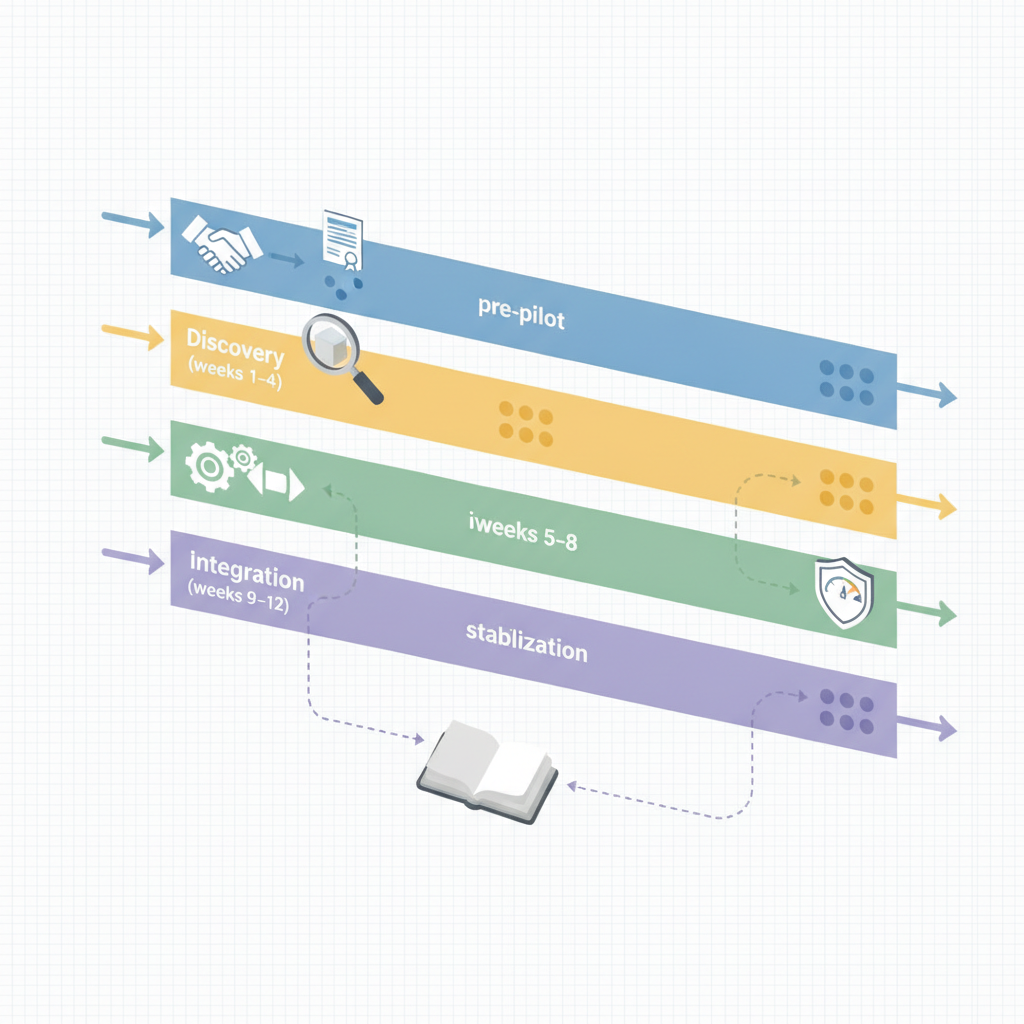
- Follow a week-by-week plan: discovery & prototype (weeks 1–4), integration & safety (weeks 5–8), stabilization & UAT (weeks 9–12), then decide scale vs rollback.
- Include an operational ai pilot runbook, incident playbooks, and a one-page executive checklist for rapid decisions.

The phrase 90 day ai process automation pilot checklist describes a timeboxed program to validate an AI automation workflow on live data. Run a 90-day pilot when integration, data quality, or user training complexity exceed quick proofs-of-concept — it increases likelihood of production readiness by X–Y% (use internal benchmark). This guide walks website owners, marketers, and developers through a practical, week-by-week ai pilot runbook and templates you can copy into your operations docs.
When not to run a 90-day pilot:
- If the automation affects no live users and a short POC yields clear results, a 2–4 week POC is enough.
- If you lack baseline data to measure impact — collect data first, then pilot.
- If regulatory or legal constraints prevent testing on live data (e.g., unresolvable GDPR restrictions).
- If total cost of pilot exceeds expected value from a successful deployment.
Why a 90-day pilot? Goals, scope, and expected outcomes
A 90-day pilot balances speed with realism: it’s long enough to test integration, measure data drift, and train users, but short enough to reach a clear go/no-go decision. The goal is not to perfect the model; it’s to validate operational readiness — can your stack reliably run the automation on live traffic while meeting safety and business KPIs?
Define scope tightly: one workflow, up to two user cohorts, and a maximum of three data sources. Example: for a content-quality automation on xproductlist.com you might pilot automatic metadata suggestions for new tool listings, running only on 10% of incoming entries and measuring edit rate and time saved. Expected outcomes include a baseline metric set (latency, false-positive rate, human override rate), a working prototype in production-like integration, and clear training materials for operators.
Quotable definition: "An AI process automation pilot is a timeboxed validation effort to test workflows on live data under production constraints." For more on this, see Ai process automation pilot plan.
Pre-pilot checklist (week -2 to 0): stakeholders, data, success criteria, and contracts
Before day 1, align people, data, and legal covers. Required stakeholders: engineering lead, product owner, data steward, security/privacy officer, and a business sponsor who will sign the go/no-go. Identify data sources and required access, including region-aware items: for EU data include GDPR residency requirements; for US deployments consider state-level data-handling clauses if the pilot touches regulated data.
- Contract checklist: data processing addendum (DPA), liability and indemnity carve-outs for the pilot period, and termination clauses.
- Success criteria (example KPIs): reduce manual processing time by 30% within pilot, P95 latency < 300ms for API calls, false-positive rate < 1% for automated actions.
- Security: scoped service accounts, least-privilege keys, logging and audit trails, and a data retention schedule.
Copyable pre-pilot checklist (short): stakeholder roster, DPA signed, sample dataset extracted, baseline metric report created, test account provisioned, rollback plan approved.
Weeks 1–4: Discovery and rapid prototyping
Weeks 1–4 focus on discovery, mapping the workflow end-to-end, and producing the first working prototype. Start week 1 with a two-day design sprint: map inputs, outputs, failure modes, and human-in-the-loop gates. By week 2, wire up minimal data pipelines and create synthetic or shadow traffic tests. Week 3 should deliver the first functional prototype that can process live but scoped traffic (for example, internal-only or 5–10% sample). Week 4 is for instrumenting metrics and logging so you can measure the defined KPIs continuously.
Example scenario: you prototype an automated tagging service that suggests categories for new tool entries on xproductlist.com. The prototype ingests new records, returns tags, and writes suggestions to a staging area. Engineers aim to achieve a test throughput of 100 req/min and instrumented tracing to capture error paths.
An AI prototype is production-ready only when failures are predictable, recoverable, and cheaper than the value the system delivers.
Daily and weekly tasks for engineering and business owners
Daily engineering tasks include monitoring error logs, reviewing model outputs for drift, and running quick integration smoke tests. Business owners should review sample outputs daily, flag false positives, and maintain a prioritized feedback list. Weekly tasks: sync on KPI trends, deploy small model or threshold changes after canary tests, and run a 30–60 minute retrospective to capture surprises and blockers.
Concrete cadence: Daily 15-minute standups; weekly 60-minute demo and KPI review; weekly ticket review for labeling/feedback. Use a shared spreadsheet or tracking board with columns: issue, priority, owner, status, and notes for auditability.
Deliverables: baseline metrics and first prototype
Deliverables at the end of week 4 must include: a baseline metric report (current manual throughput, error rates), the deployed prototype with service endpoints, instrumentation dashboards (latency, success rate, false-positive rate), and a short runbook describing how to disable the pipeline quickly.
- Baseline metrics example: mean manual processing time = 6 minutes per item, baseline accuracy = 82% (human-reviewed sample).
- Prototype artifact: runnable container image tag, API spec, test dataset, and instructions to start/stop the service.
Weeks 5–8: Integration, data pipelines, and safety checks
Weeks 5–8 move from prototype to integrated system. Harden data pipelines (retries, dead-letter queues), implement rate limiting, and ensure monitoring covers both model and infra health. Run safety checks: automated privacy filters, content-safe scoring, and allowlist/blocklist enforcement. Integrate human-in-the-loop review flows where automated actions can be reverted or confirmed.
Concrete targets: set pipeline retry policy (e.g., three retries with exponential backoff), configure alerts for increased false positive rates, and validate backups for input data. For EU traffic verify data residency configuration; for US regions ensure contractual clauses for state-level data processing are respected.
Monitoring an AI system without tracking data drift converts silent model decay into a production outage.
Common ops tasks and runbook entries to prepare
Ops runbook entries should include: incident triage steps, rollback instructions, escalation contacts, and post-incident review template. For each potential incident include detection criteria, immediate mitigation, and permanent fix steps. Example runbook entry: "High false-positive spike" — detect via threshold (false-positive rate > 1% in 10 minutes), action: disable auto-action, switch to review-only mode, notify product owner, create hotfix ticket.
- Prepare an ops checklist: stop automated writebacks, snapshot model version, enable human-review queue, communication template for affected users.
Weeks 9–12: Stabilization, user acceptance, and performance tuning
Weeks 9–12 focus on stabilization, tuning thresholds, and running user acceptance tests with representative user groups. Confirm that the system meets the agreed success criteria and that operators can manage everyday incidents. Perform load testing at target throughput and tune caching, batching, and model response sizes to hit latency SLOs.
User acceptance: run a 7–10 day beta with defined cohorts, collect structured feedback, and measure change in key business metrics. Performance tuning examples: reduce P95 latency by adding a cache layer for common requests or by batching inference calls to save cost and reduce tail latency.
Rehearsing rollback, incident response and H-I-L (human-in-the-loop) flows
Before the decision meeting, rehearse rollback and incident scenarios. Execute two dry-run exercises: one that simulates a model-quality failure, another that simulates an infrastructure outage. Validate that human-in-the-loop flows (flagging, manual review, manual override) complete within acceptable SLAs and that operators can reassign tasks rapidly.
Decision rule example: if automated actions require human override > 10% of the time during beta, postpone full rollout until model or workflow adjustments reduce that rate.
Final 2 weeks: Decision meeting and playbooks for scaling
The last two weeks are for the go/no-go decision and producing playbooks for scale. Present metric trends, incident log, user feedback, cost estimates for full-scale run, and a recommended rollout plan. The decision meeting should produce one of three outcomes: proceed to phased rollout, extend pilot to fix specific gaps, or rollback and archive the pilot.
Include a scaling playbook: target environments, required infra changes, staffing plan, and phased rollout schedule (e.g., 25% traffic increase every two weeks with monitoring gates). Ensure budget and support commitments are signed by the business sponsor.
Packaging deployment artifacts, training materials, and handoff checklist
Package artifacts for the operations team: container images, infra-as-code templates, runbooks, monitoring dashboards, and a concise training deck for support staff. Handoff checklist should confirm ownership, alert routing, and a documented rollback path.
- Training material items: 30-minute demo video, quick reference card, and a troubleshooting FAQ.
- Handoff checklist items: owner assigned, SLOs documented, incident response contacts verified, and 30-day follow-up meeting scheduled.
Templates & reproducible runbook snippets (incident runbook, rollbacks, handoffs)
Below are copy-ready snippets you can paste into an ops runbook. Incident runbook header: title, detection metric, immediate mitigation, rollback command, escalation path, and postmortem template. Rollback snippet (example): stop consumer service, revert to previous container tag, flush caches, and validate sample outputs.
Runbook snippet (incident):
Title: High false-positive spike
Detection: false-positive rate > 1% sustained for 10 minutes
Immediate: disable auto-apply, enable manual queue
Rollback: revert to model:v1.2
Escalation: notify product owner + on-call engineer
Postmortem: fill template within 48 hours
Provide a short decision matrix for rollout vs rollback based on KPIs: if all three primary KPIs (accuracy, latency, human override rate) are within thresholds, approve scale; otherwise, remediate specific items and re-evaluate in 2 weeks.
Quick-start checklist one-pager for execs
An exec one-pager should include the pilot objective, top-line KPIs, current status (green/amber/red), recommended decision, and financial impact estimate. Use a very short table and one sentence per item so leaders can decide in 15 minutes.
| Item | Current | Target |
|---|---|---|
| Throughput | 50 req/min | 200 req/min |
| P95 latency | 320ms | <300ms |
| False-positive rate | 0.8% | <1% |
Include a short SLA/SLO sample the execs can quote. Example SLA table below is provided for extractable use:
| SLO | Recommended target |
|---|---|
| Successful processing rate | 99% |
| False-positive rate (auto-action) | <1% |
| Mean time to rollback | <30 minutes |
Conclusion: next steps after go/no-go
If the decision is go, follow the scaling playbook and run a phased rollout with monitoring gates and a 30/60/90 day review cadence. If the decision is extend, isolate the gaps (data, model, UX) and plan a focused remediation sprint. If rollback, archive artifacts: export logs, snapshot model and dataset versions, and conduct a postmortem to capture lessons.
Quotable takeaway: "Ship the pilot artifacts, not the prototype: production readiness is defined by operational controls, not model accuracy alone."
FAQ
What is 90-day ai process automation pilot? A 90-day ai process automation pilot is a timeboxed validation program that tests an AI automation workflow on live data to confirm integration, safety, and business value.
How does 90-day ai process automation pilot work? A structured sequence of discovery, prototyping, integration, stabilization, and decision phases; each phase has defined deliverables, KPIs, and runbook entries to ensure operational readiness for scaling or rollback.