

TL;DR
- Pricing tiers typically trade off cost, output limits (images/month), commercial license, and support — map each to expected monthly renders to forecast spend.
- Pick credit/compute plans if usage is spiky; pick seat subscriptions for predictable team workflows and collaboration.
- Watch for hidden costs: overages, high-res exports, source files, and data egress; add a 20–30% buffer to initial budget estimates.
- Negotiate enterprise trials, data retention clauses, and rollback windows before committing to large seats or platform integrations.

The primary task when evaluating ai image editor pricing tiers is not just comparing sticker prices — it’s mapping those tiers to how your team actually works. This guide explains what pricing tiers include, common billing models, a step-by-step method to evaluate costs for teams, and template questions to ask vendors. If you manage a marketing team ai image tool budget, this article helps you make an evidence-based choice.
When NOT to use an AI image editor
Do not adopt an AI image editor when your output must meet strict, auditable provenance rules that the vendor does not support, when your legal team cannot accept the vendor’s commercial use clause, or when your renders require deterministic pixel-perfect replication across versions. Also avoid platform lock-in when you expect to switch providers every quarter.
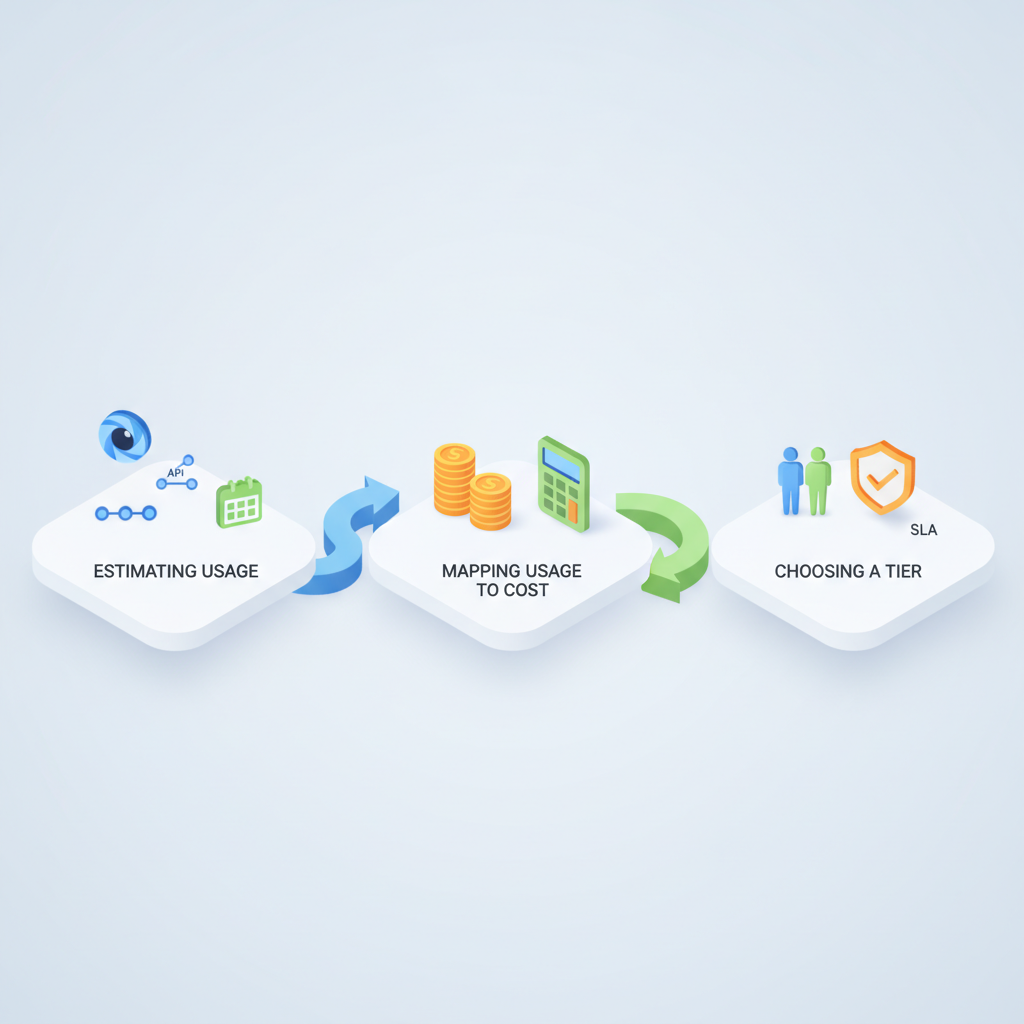
Quick primer — what pricing tiers usually include (credits, seats, features, SLAs)
Pricing tiers for ai image editor pricing tiers bundle a few common levers: usage credits or compute units, seats (user licenses), feature gates (batch processing, brand kit, collaboration), and support/SLAs. Each vendor packages these differently; your job is to translate those packaging choices into predictable monthly spend and operational constraints.
Typical components explained:
- Credits / compute units: These are consumable units used per API call, per render, or per high‑resolution export. Vendors sometimes call them "credits", "tokens", or "compute minutes." Example: a single edit operation might cost 1 credit while a 4K export costs 10 credits.
- Seats: Per-user licenses that unlock collaborative features, version history, and team templates. Seat-based subscriptions are common for marketing teams who want consistent access and SSO integration.
- Feature tiers: Higher plans add brand controls, bulk processing, private models, or dedicated compute. Confirm whether features are limited by quantity (e.g., 1,000 exports/month) or unrestricted.
- SLAs & support: Basic plans include email support; business/enterprise plans include faster response times, uptime SLAs, and onboarding services. For production use, ask for written SLAs in the contract.
- Licensing & commercial use: Verify whether generated images have a commercial license by default and whether the vendor claims any rights to derivatives.
Practical examples you’ll see on vendor pages: a "Starter" plan with 1,000 credits and 3 seats; a "Business" plan with 10 seats, 50,000 credits, and priority support; an "Enterprise" plan with unlimited seats, dedicated ingestion, and a negotiable SLA. These examples help you map vendor packaging to your marketing team ai image tool budget needs.
Pricing tiers balance four things: unit cost, monthly limits, license terms, and support level.
Common pricing models for AI image & photo editors
Vendors typically use one of three models: pay-as-you-go (credit/compute-based), seat-based subscriptions, or hybrid models that combine seats with usage buckets. Understanding which model a product uses is the first step in cost projection.
Model characteristics and who they suit:
- Credit/compute-based (pay-as-you-go): Charges per API call or per render. Best when usage varies month-to-month or when you want fine-grained control over cost. Example: an agency running periodic campaigns with heavy bursts during launches.
- Seat-based subscriptions: A fixed monthly fee per user. Best for teams with predictable daily use and collaboration needs. Seat plans often include a pool of exports or credits per seat.
- Flat-fee / enterprise: Negotiated subscription that may include dedicated hosting, private models, and strict SLAs. Best for large teams running production workloads where predictability and compliance matter.
Operational tradeoffs matter. Credit models give control but require engineering to throttle and monitor spend; seat models reduce billing complexity but can inflate cost if many seats are unused. Hybrid plans try to reduce surprise bills by combining a base seat fee with a refillable credit pool.
A small monthly overage buffer (20–30%) eliminates most billing surprises for new deployments.
Credit/compute-based (pay-as-you-go) — when it makes sense
Choose a credit-based plan when your usage is bursty, when you want to avoid committing to user seats, or when you primarily access the editor via API. Credit billing is common for developer-focused offerings where every render, transform, or upscale consumes a unit of compute. For example, a freelance image retoucher who only runs 500 edits some months and 5,000 during launches benefits from pay-as-you-go because they pay only for what they use.
Key evaluation points:
- Understand how credits map to operations (edits vs. upscales vs. exports).
- Look for tiered unit pricing — unit cost often drops after you cross larger buckets.
- Check minimum monthly spend or top-up rules; some vendors require an initial prepayment.
Seat-based subscriptions — tradeoffs for teams
Seat plans simplify billing and align with how marketing teams work: predictable monthly invoices, SSO, shared asset libraries, and role-based permissions. The tradeoff: you may pay for idle seats or for seats that aren’t using premium features. Seat pricing becomes efficient when seats are actively used and the plan includes generous usage allowances.
Practical checklist before buying seats:
- Audit who needs edit access vs. who needs reviewer access; buy reviewer licenses if cheaper.
- Measure average active-user minutes per day to estimate seat utilization.
- Negotiate seat flexibility: can you pause seats mid-contract or convert seats to viewer-only at prorated rates?
Output/licensing limitations and commercial use clauses
Licensing often determines whether your team can use generated images in paid campaigns or for resale. Some vendors grant commercial rights by default; others require higher-tier plans or an add-on license. Read the terms for:
- Clauses on ownership of derivative works and vendor claims on generated assets.
- Restrictions on specific use cases (e.g., trademarked logos, political ads).
- Requirements to credit the vendor or attach metadata per C2PA provenance standards.
Example clause to verify in contracts: explicit commercial license for marketing collateral without additional fees and a guarantee that the vendor won’t assert rights over images you create. For European teams, add GDPR/data residency checks to confirm vendor processing locations and retention policies.
Step-by-step method to evaluate pricing tiers for your team
Follow this method to answer the key question: how much will this cost and what operational constraints will it impose?
- Define use cases: List operations (API renders, web editor edits, high-res exports, batch jobs) and classify them as production, campaign, or experimental.
- Measure current baseline: Audit last 3 months of image production: renders per campaign, average exports, and peak day throughput.
- Map operations to vendor units: Translate your operations into vendor-specified units (credits, calls, seats).
- Calculate monthly cost scenarios: Build low/expected/high usage projections and compute costs under each vendor’s pricing.
- Factor in hidden costs: Add overages, storage, high-res add-ons, and egress fees.
- Negotiate terms: Ask for trial credits, a pilot discount, or a 30–60 day rollback window in the contract.
Worked example: your small marketing team runs 4 campaigns per month with 250 final assets each and 50 test variants. If a vendor charges 0.5 credits per standard render and 5 credits per 4K export, translate your asset mix into credits and compare the monthly price to a seat-based plan that bundles a set number of exports.
Translate operations into vendor units before comparing plans — numbers beat statements.
Estimate monthly usage (API calls, renders, exports)
Start by listing every image workflow step and the expected frequency. Use a short spreadsheet with columns: workflow step, per-item cost unit (credits/calls), average quantity per asset, and monthly frequency. Example rows: hero render (1 call, 2 variations), social square (0.5 call, 4 variations), 4K export (5 calls, 1 per hero).
Example thresholds to capture:
- Peak daily renders (for throttling planning).
- Average assets per campaign.
- Monthly test variants vs. final exports.
Map usage to costs (examples and a simple calculator worksheet)
Use the spreadsheet above to multiply quantity by per-unit cost for each vendor scenario. Create three columns: low, expected, and high. Add a final row for buffer (20–30%) to cover overages and unexpected tests.
| Operation | Units per op | Qty/month | Unit cost (credits) | Credits/month |
|---|---|---|---|---|
| Hero render | 1 | 50 | 1 | 50 |
| Social variants | 0.5 | 400 | 0.5 | 200 |
| 4K exports | 5 | 20 | 5 | 100 |
| Total | 350 |
Convert credits to USD using vendor unit pricing. Illustrative pricing bands (not vendor-specific): small: $15–$50/month; mid: $200–$800/month; large: $2,000+/month. For EUR/GBP conversion, multiply USD by your current FX rate or use vendor’s local pricing; expect small regional price differences plus VAT in the EU. For EU teams, add compliance flags: confirm GDPR data processing agreements, data residency options, and export-control clauses.
Hidden costs: overage fees, add-ons (high-res, source files), egress
Hidden costs commonly appear as overage per-unit fees, add-ons for high-resolution exports or source files, and egress or CDN fees for hosted assets. Also watch for fees tied to integrations: SSO, SCIM provisioning, or private model hosting often cost extra on enterprise plans.
Checklist of hidden items to verify before purchase:
- Overage rate per credit or per call.
- Cost to retrieve archived source files.
- Bandwidth or egress charges for exporting large batches.
- Charges for custom SLAs or white-glove onboarding.
Case studies & example budgets (freelancer, small marketing team, enterprise pilot)
These short case studies show how different teams map needs to pricing tiers.
Freelancer — scenario: Occasional high-quality retouches, ~200 edits/month. Best fit: credit/compute plan with a small monthly top-up and no seats. Budget estimate: low-tier credits plus occasional 4K export add-on.
Small marketing team (5 people) — scenario: Ongoing social, 4 campaigns/month, 1,000 final assets. Best fit: seat-based plan with 5 seats and a pooled credit bucket or an intermediate hybrid plan. Budget estimate: compare per-seat cost × 5 vs. pooled credits; choose whichever has lower expected monthly cost once hidden fees are accounted for.
Enterprise pilot (50+ stakeholders) — scenario: Brand-wide rollout, production pipelines, compliance required. Best fit: negotiated enterprise subscription with dedicated onboarding, contractual SLAs, and data residency options. Budget: expect a multi-line contract covering seats, credits, and add-ons; negotiate trial credits and a rollback clause for the pilot period.
How to compare image editors side-by-side (feature vs cost matrix)
Build a feature vs cost matrix to compare vendors on the same dimensions. Use columns for vendor A, B, and C and rows for unit cost, included credits, seats included, export limits, licensing, support SLA, GDPR/data residency, and known add-ons.
| Dimension | Vendor A | Vendor B | Vendor C |
|---|---|---|---|
| Unit cost | 0.5 credits / render | 0.4 credits / render | 0.6 credits / render |
| Included credits | 1,000 | 500 | unlimited* |
| Seats included | 3 | 1 | 10 |
| High-res export | add-on | included | add-on |
| Commercial license | Yes | Yes (Business only) | Yes |
| GDPR/data residency | No | Yes | Yes |
Decision rule example: if you need >2,000 renders/month and high-res exports, pick the vendor that yields the lowest combined cost for renders + exports + seats, even if unit cost is slightly higher. Always run your own numbers using the spreadsheet from earlier.
Negotiation tips and contractual items to ask (enterprise trials, rollbacks, data retention)
When negotiating, treat pricing as negotiable. Vendors often have standard public pricing, but they expect enterprise buyers to ask for concessions. Key negotiable items include:
- Trial credits: A realistic pilot with trial credits reveals true usage and surfaces hidden costs.
- Rollback window: A 30–60 day rollback clause reduces procurement risk if the integration causes problems.
- Data retention & deletion: Specify retention windows and deletion certification for GDPR compliance.
- SLAs & uptime credits: Ask for a written SLA with service credits for missed uptime targets.
- Price protection: Fix unit pricing for 12 months to avoid sudden rate changes during a rollout.
Negotiation tactic: start with a documented usage projection and request a custom bundle (seats + credits) priced against your expected monthly spend. If the vendor resists, ask for staged commitments: a three-month pilot, then scale to a 12‑month contract with price caps.
Template: 10 questions to ask vendors about pricing and licensing
Use these questions during procurement calls to get consistent answers you can compare across vendors.
- How are credits/units defined and how do they map to common operations (edits, upscales, exports)?
- What is included with each seat and are there cheaper reviewer/consumer licenses?
- Do images generated under our plan include an explicit commercial license?
- Are there any use cases you restrict or require additional licensing for (e.g., logos, political content)?
- What are your overage rates and how are overages billed (per unit, per day, monthly cap)?
- Do you offer trial credits or a pilot price, and can we roll back or cancel within the pilot window?
- What data residency and GDPR controls do you provide, and can we get a DPA with deletion guarantees?
- Do you support SSO/SCIM and are those integrations included or billed separately?
- What SLAs do you offer for uptime and response times for support tickets?
- Are there additional fees for exports, source file access, or egress bandwidth?
Conclusion — recommended approach and quick checklist
Recommended approach: define your actual workflows, measure baseline usage, translate operations into vendor units, then compare cost scenarios across credit, seat, and hybrid models. Prioritize licensing and GDPR compliance for EU teams and negotiate trial credits and rollback terms before committing.
Quick checklist to use in procurement:
- Map operations to vendor units using a spreadsheet.
- Run low/expected/high scenarios and add a 20–30% buffer.
- Verify commercial use and provenance obligations.
- Confirm hidden costs: overages, high-res exports, source retrieval, egress.
- Request trial credits, pilot terms, and a rollback clause.
- Ask for price protection for at least 12 months.
Quotable definition for featured snippets: Pricing tiers typically trade off cost, output limits (images per month), commercial license, and support — map each to your expected monthly renders to forecast spend.
FAQ
What is pricing tiers?
Pricing tiers are packaged combinations of unit-based usage (credits or API calls), seat licenses, feature access, and support levels that vendors use to segment customers and align price with expected usage and needs.
How does pricing tiers work?
Pricing tiers work by bundling usage allowances, user access, and features into named plans; customers choose the plan that best matches their monthly renders and operational requirements, or negotiate a custom enterprise bundle when needs exceed public tier limits.