
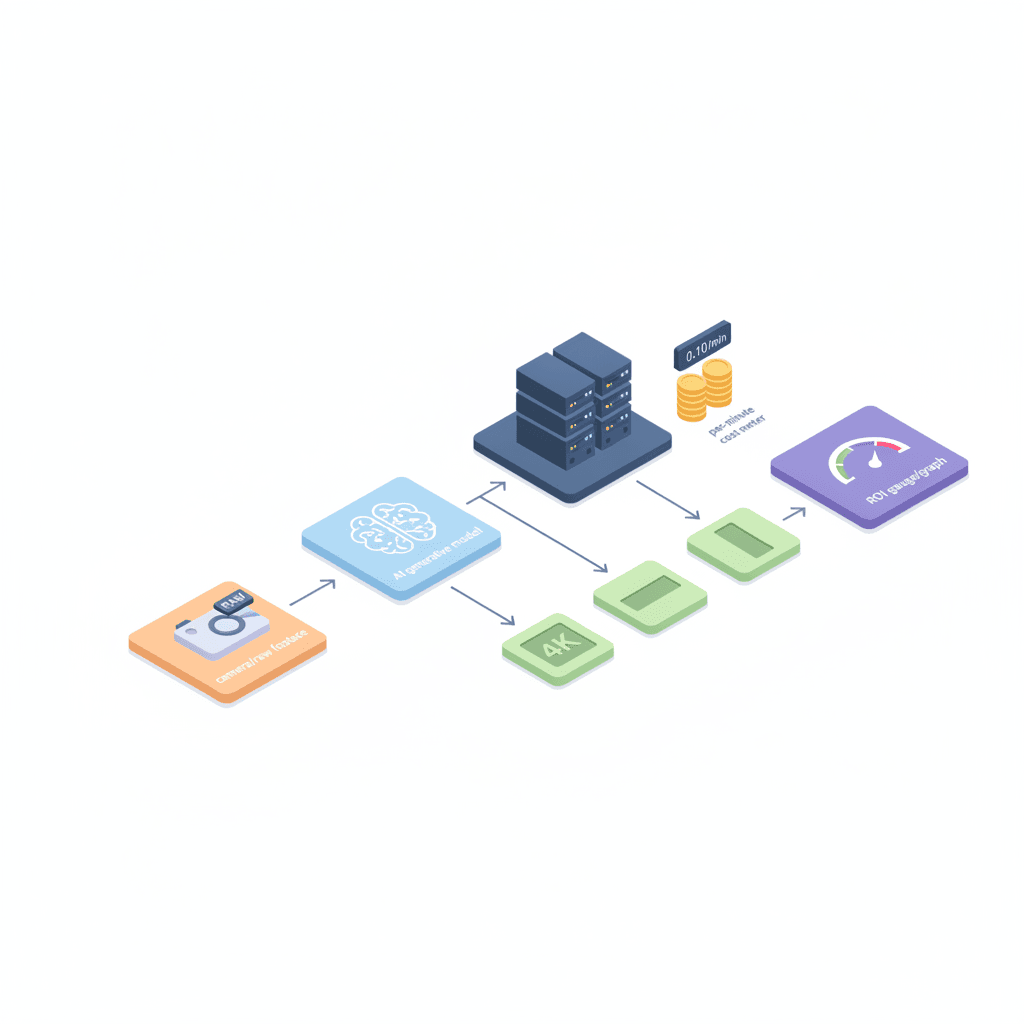
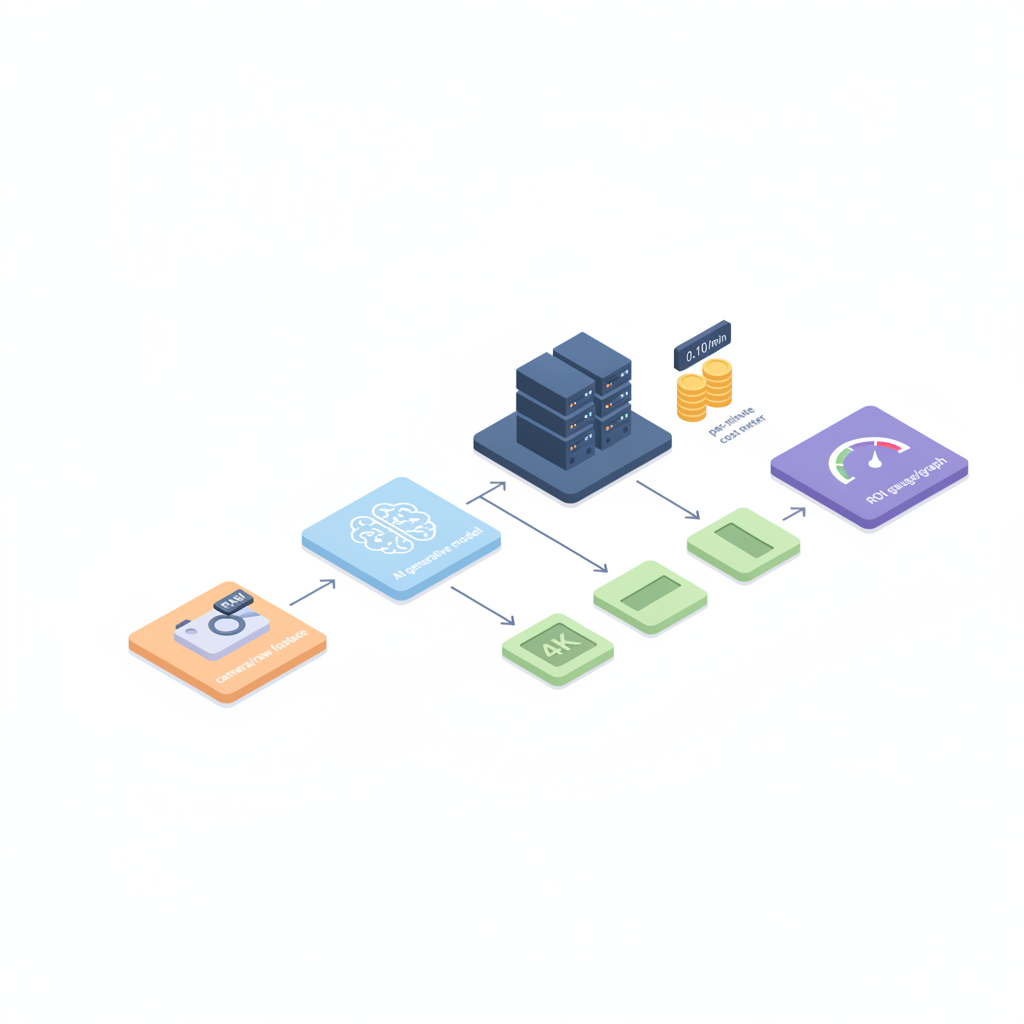
Are you looking for the best ai video creation tools 2026 for your small team and wondering how workflows, pricing, and ROI actually fit together?
Yes — selecting an AI video tool in 2026 is about more than features; it's about matching render time, collaboration, and export formats to your team’s throughput and budget. This guide walks through practical workflows, pricing tradeoffs, and ROI benchmarks you can use to select a tool and run a 30–60 day pilot.
AI video tool pricing is often driven by compute (render minutes) and export formats — expect video tools to use per-minute or per-export pricing bands rather than flat image-credit models. Below you’ll find concrete thresholds, vendor questions, and procurement templates for website owners, marketers, and developers.
Who this is not for
This guide is not aimed at enterprises with dedicated VFX farms and nightly batch renders; those teams typically need full studio pipelines. Don’t apply these recommendations if your legal or compliance needs require on-premises-only rendering and the vendor offers cloud-only services. Also skip this approach if you need one-off, single-frame AI images only — image-credit driven tools are a better fit than compute-heavy video renderers.
Why video workflows change the buying criteria (render time, collaboration, format export)
Video production is a throughput problem: small teams care most about how quickly an idea moves from script to published asset. For ai video creation tools 2026, three buying criteria rise above feature lists: render time, collaboration, and export formats.
Render time affects iteration cadence. If your marketing team needs four 30‑second social cuts per week, a tool that takes 45 minutes to render each cut will throttle output; a tool offering faster render minutes or incremental renders will raise throughput dramatically. In practice, evaluate vendor render time for typical edits (trim + music swap + caption update) rather than a fresh, full-scene render.
Collaboration matters because small teams split roles: a content strategist writes the script, a designer refines visuals, and a developer integrates assets into the CMS. Look for tools that support role-based reviews, version history, and comment threads on frames or timecodes. Without these, you’ll end up using external project trackers and wasting time moving files between apps.
Format export is a technical gating factor. Your CMS and ad platforms demand specific codecs, bitrates, and aspect ratios. Confirm the tool can export H.264/H.265 with custom bitrate, produce transparent WebM or ProRes where needed, and batch-export multiple aspect ratios in one job. A single export that requires downstream transcoding adds cost and delay.
Example: A small ecommerce team I worked with swapped from a tool that rendered 4K masters only to one that offered simultaneous 16:9 and 9:16 exports. That change halved manual repackaging time and eliminated an external transcode step.
Actionable checklist:
- Test render time on a 30–60 second piece with a single content change.
- Confirm collaboration features: role permissions, comments on timeline, and asset locking.
- Verify export formats required by your CMS, ad platforms, and distributors.
Render speed is a business metric: if renders exceed your edit cadence, the tool will slow production, not accelerate it.

Types of AI video tools (text-to-video, generative visuals, editing assistants, music/video sync)
Different ai video creation tools 2026 serve distinct steps of the pipeline. Picking the right class reduces friction and cost. The main tool types are:
- Text-to-video generators — convert scripts or prompts into animated scenes. Useful for concept videos and storyboards; still evolving for photorealistic output.
- Generative visuals engines — create backgrounds, assets, or overlays you composite into edits. These replace stock libraries when you need bespoke looks.
- Editing assistants — AI that speeds cuts, auto-captioning, color-matching, and pacing suggestions inside an NLE-like interface (examples include tools with media-minute accounting like Descript).
- Music/video synchronization tools — automatically align cuts to beats, generate stems, and suggest adaptive footage timing for promos and music videos.
Each class has tradeoffs. Text-to-video gives speed at the cost of fine-grain control; editing assistants provide precision but still require human direction. For ai music video creation tools workflow 2026 you’ll combine generative visuals with music-sync assistants to preserve rhythm and style.
Concrete example workflow for a 60‑second social clip:
- Write a 45–60 word script in your CMS and export as a cue sheet.
- Use a text-to-video engine to create a rough storyboard with placeholder voiceover.
- Bring the storyboard into an editing assistant for pacing, captions, and color grade.
- Finish with a music/video sync pass to align cuts to the final track.
When you compare ai video creation tools, match the tool class to which of these steps you want automated. If music videos are your core product, prioritize tools that explicitly support beat mapping and multi-track export.
Choose the tool class that removes your current bottleneck, not the one with the fanciest demos.
Pricing models for AI video — compute-heavy differences vs image tools
Pricing for ai video creation tools 2026 is different from image tools because video is compute-heavy and bandwidth intensive. Expect vendor models to charge for render minutes, export resolution, and API usage rather than flat image-credit bundles.
Two broad pricing approaches appear in the market: end-user subscription tiers and API/credits tied to render minutes. Subscriptions give predictable monthly costs but often cap render minutes; API models bill per rendered minute or per-export and can spike with high-volume campaigns.
When comparing pricing, break costs into three buckets: base subscription (seats, collaboration features), compute (render minutes or GPU-hours), and distribution (egress bandwidth and premium format surcharges). For USD/EUR markets, estimate egress as a percentage of monthly cloud bill — in many cases, video egress can add a noticeable marginal cost on top of compute for international campaigns. To estimate egress in USD/EUR, take your expected monthly uploads/downloads (GB) and multiply by typical cloud egress rates for your region; vendors may include or exclude egress from their prices, so confirm in vendor contracts.
Quotable definition: “AI video tool pricing is often driven by compute (render minutes) and export formats — expect video tools to use per-minute or per-export pricing bands rather than flat image-credit models.”
Example: If you plan to produce twenty 30‑second pieces per month in three aspect ratios, calculate render minutes (20 * 0.5 * 3 = 30 render minutes) and multiply by the vendor’s per-minute API rate — then add subscription seats and egress estimate for upload/download of masters. That gives a realistic monthly cost versus relying on demo pricing alone.
Per-minute rendering fees
Per-minute fees are the most common variable. Vendors bill based on the complexity of the render (motion, generative steps, and seamless background replacement increase GPU time). When you evaluate per-minute fees, request a sample invoice or cost estimate for a known workload: a 60‑second product explainer with two scene changes, captions, and a music bed. Compare cost per final minute, not per render attempt (many teams iterate several times before finalizing).
Practical threshold: decide a maximum acceptable per-minute cost by calculating your target cost-per-video. For example, if your marketing budget allows $600/month for video and you plan ten videos, target under $60 per final minute inclusive of render and export charges. Use that as a negotiation point with vendors.
Resolution and format surcharges
High-resolution exports and premium codecs (ProRes, alpha channels, uncompressed masters) often carry surcharges. If you routinely publish 4K masters or need transparent backgrounds for compositing, confirm the surcharge schedule. For social short-form content, vendors sometimes offer bundled multi-aspect exports at a single price; that can be cheaper than exporting sequentially in the app and re-rendering for each format.
Ask vendors for an explicit matrix: rows are resolutions (720p, 1080p, 4K), columns are export types (H.264, H.265, ProRes, WebM alpha), and cells show cost multipliers. That matrix makes budget estimates repeatable.
API vs end-user app pricing
APIs are priced for scale and integration; apps are priced for seat-based UX and faster onboarding. If you need to embed generation into a web product or automate hundreds of renders nightly, the API model is often more cost-effective but requires engineering work and monitoring. For content teams that produce on-demand social and website video, end-user apps with collaboration features may reduce total workflow cost due to faster review cycles.
When choosing between API and app: quantify engineering hours to integrate the API, the expected monthly render volume, and the developer time saved by using an end-user app. Use a simple decision rule: if you expect more than X renders per month (set X based on vendor API pricing), the API route becomes cheaper despite initial integration work.
Building a video creation workflow and mapping tool roles
Successful adoption comes from mapping people to tasks and tools to steps. Start by listing the repeatable stages in your pipeline: ideation, script, storyboard, rough cut, review, localization, final render, and publish. For each stage assign a role and a primary tool. Small teams often combine roles — e.g., content lead doubles as editor — so designing clear handoffs matters more than strict role separation.
Step-by-step example for a four-person marketing team producing weekly explainers:
- Week 0: Content lead drafts script in CMS and tags assets needed.
- Designer uses a generative visuals engine to create three scene mockups and uploads them to the asset library.
- Editor imports mockups into the editing assistant, generates a rough cut, and requests voiceover from the voice tool or records locally.
- Content lead reviews in-tool via comments; two rounds of edits are expected.
- Final render is exported in 16:9 for YouTube and 9:16 for social using a batch export job, then uploaded to platforms.
Map tools to roles in a simple table (tool, primary user, primary task, output format). This artifact becomes your onboarding doc and ensures new hires know which tool to use for which stage.
Script & storyboard integration
Link scripts to timeline timecodes early. Tools that accept script imports or structured cue sheets cut manual syncing time. Where possible, keep a single source of truth for the script in your CMS and export a timestamped cue sheet to the video tool. This prevents mismatches between the written narrative and visuals.
Concrete step: adopt a two-column script format (left: timecode, right: action/dialogue) and export it as a plain text cue sheet. Upload to the video tool and verify the auto-alignment before any render; that saves 10–20 minutes per iteration in busy teams.
Asset management & team collaboration
Use a cloud asset library with versioning and permissions. Tag assets with campaign, language, and aspect ratio to speed searches. Make naming conventions mandatory: CampaignName_asset_purpose_v001.mp4 — this small discipline prevents accidental overwrites and unclear approvals.
Set one person as asset steward for each campaign; they approve final masters and handle exports. Without a steward, approval loops lengthen and assets proliferate across drives, causing extra storage egress costs when pulled back into the tool.
Voice, music, and synchronization (music licensing notes)
Decide early whether you’ll use licensed tracks, stock music, or original compositions. Licensing can add per-track fees and usage restrictions; confirm whether vendor-provided music includes commercial rights. For ai music video creation tools workflow 2026, prefer tools that export stems so you can adjust music levels in post without re-rendering the entire video.
Practical rule: always keep a master file containing separate voice and music stems. If you need to change a track after publishing, you can substitute a stem and re-render only affected segments rather than the full project.
How to evaluate ROI for video: engagement benchmarks and cost-per-video models
ROI evaluation must tie production cost to engagement outcomes. Use these benchmark metrics when calculating ROI for marketing teams: views per video, average watch time, click-through rate (CTR) uplift, and conversions attributable to the video. Suggested benchmark targets for typical marketing videos: aim for >30% average view-to-completion on short-form social clips and a CTR uplift above baseline for campaign landing pages — use your historical campaign numbers as the baseline.
Cost-per-video model example: calculate total monthly production cost (tooling + seats + egress + freelancer fees) and divide by the number of final published videos. Then compute cost per engaged view by dividing cost-per-video by average engaged views per video. This yields a practical number to compare against alternative content investments like paid ads.
Concrete example: if your monthly video spend is $3,000 and you publish 12 videos, cost per video is $250. If average engaged views per video are 5,000, cost per engaged view is $0.05. Use that to decide whether to increase production volume or shift budget to higher-performing channels.
Comparison checklist: best-fit tool by use case (social short-form, explainers, music videos)
Use the checklist below to compare ai video creation tools and choose the best fit for specific use cases. This is a practical artifact you can copy into procurement docs.
| Use case | Must-have features | Pricing sensitivity | Recommended decision rule |
|---|---|---|---|
| Social short-form | Fast multi-aspect export, captioning, beat-sync | High (many short renders) | Prioritize per-minute cost and multi-export bundles |
| Explainers | Script import, clear voiceover tools, 1080p/4K masters | Medium | Pick collaboration features and version history |
| Music videos | Music/video sync, stems export, generative visuals | Medium–High | Prioritize sync accuracy and stem exports |
When you compare ai video creation tools, score each vendor against this checklist and weight the criteria according to your primary use case. For example, if social short-form is 60% of your output, weight multi-aspect export and per-minute pricing accordingly.
Sample procurement scenarios and budget templates
Procurement differs when you’re buying for a small team versus embedding an API. Below are two sample scenarios and an easy budget template you can copy.
Scenario A — Small marketing team (4 seats):
- Subscription with collaboration: seats for editor, designer, content lead, and guest reviewer.
- Estimate monthly renders: 12 final videos + 24 intermediate iterations = 36 render minutes (adjust by length).
- Budget line items: subscription, per-minute charges, music licensing, and egress estimate.
Scenario B — Product that auto-generates videos via API:
- API plan with per-minute billing and engineering integration hours.
- Include monitoring and alerting costs for failed renders.
- Budget line items: engineering time (one-off), monthly API fees, and cloud egress for distribution.
Copyable budget template (monthly):
- Subscription seats: $_____
- Render/minute fees estimate: $_____
- Music licensing & stock assets: $_____
- Engineering/integration amortized: $_____
- Bandwidth/egress estimate (USD/EUR): $_____
- Total monthly: $_____
Migration & pilot tips — what to test in a 30–60 day pilot
Run a focused 30–60 day pilot to validate speed, cost, and quality. Test the riskiest assumptions first: render time for iterative edits, export compatibility with your CMS, and multi-language/localization flows. Keep the pilot scoped: choose two representative projects (one short-form social clip, one 60‑second explainer) and treat them as acceptance tests.
Pilot checklist (30–60 days):
- Onboarding: set up seats and asset library, and import two scripts.
- Render test: produce a first-pass video, track render minutes and wall-clock time.
- Integration: test exports into your CMS and ad platforms; confirm bitrates and aspect ratios.
- Cost tracking: record subscription, per-minute charges, and egress costs for the pilot period.
- User feedback: collect qualitative feedback from reviewers and measure iteration count.
Success criteria example: final renders meet quality bar, total pilot month cost falls within budget, and average iteration time per asset is reduced versus prior toolchain. If any of these fail, iterate on the pilot scope or negotiate vendor terms.
Recommended next steps and vendor question checklist
After a successful pilot, you’ll need a procurement checklist for negotiation and rollout. Ask each vendor these questions and record the answers to compare offers objectively.
- How do you calculate render minutes and what counts as billable time?
- Are export formats and egress included or charged separately?
- Do you provide batch multi-aspect exports and can they be run via API?
- What collaboration features are included in each seat tier (version history, comments, role permissions)?
- What SLAs or uptime commitments do you offer for production workloads?
- Do you provide cost estimates for a defined workload (attach sample script and expected monthly renders)?
Final recommendation: select the vendor that demonstrably removes your current bottleneck (render time, export friction, or collaboration gaps) while staying within your budgeted cost-per-video. For teams with engineering capacity and predictable volume, prefer API-based pricing; for teams prioritizing speed and fewer developer hours, prefer seat-based apps.
References
- Synthesia pricing
- Runway pricing
- Descript media minutes
- Deloitte: How Generative AI is powering next-gen
- HBR: How should Gen AI fit into your marketing strategy?
FAQ
- What is choosing ai video creation tools in 2026?
Choosing ai video creation tools in 2026 is the process of evaluating vendors and workflows with attention to render minutes, collaboration, and export formats to match team throughput and budgets.
- How does choosing ai video creation tools in 2026 work?
Choosing tools works by mapping your production pipeline to tool classes, running a 30–60 day pilot on representative assets, measuring render time and cost, and scoring vendors against collaboration and export requirements.